Minimalist 18x24 Poster Mockup Guide
In the world of digital product presentation, clarity is king. Whether you are a graphic designer showcasing a new wedding invitation suite or a small business owner displaying your latest event signage, the way you present your work matters just as much as the design itself. This is where a Minimalist 18x24 Poster Mockup becomes an indispensable tool in your creative arsenal. It is not merely a placeholder; it is a strategic asset that bridges the gap between your digital files and the tangible reality your clients expect to see.
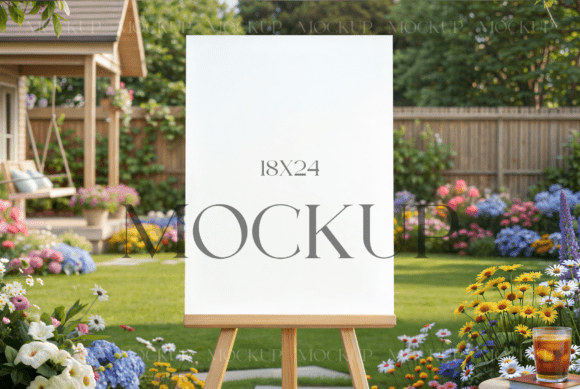
The appeal of this specific mockup lies in its understated elegance. By stripping away distracting backgrounds, heavy shadows, or overly stylized props, the focus remains squarely on your artwork. The 18x24 inch dimension is a standard size for posters, art prints, and large-format signage, making it highly relevant for a wide range of commercial applications. When you utilize a clean, minimalist template, you allow the typography, color palette, and layout of your design to speak for themselves. This approach resonates particularly well with modern audiences who appreciate simplicity and sophistication in brand identity and marketing materials.
Visual Characteristics and Design Versatility
The visual personality of a minimalist mockup is defined by what it lacks: clutter. Typically, these templates feature neutral lighting, soft natural shadows, and a clean surface texture that mimics high-quality paper or cardstock. This neutrality is its greatest strength. Because the environment is so subdued, the mockup acts as a chameleon, adapting seamlessly to various design styles. Whether you are presenting a boho garden wedding welcome sign, a corporate event menu, or an anniversary template, the mockup enhances the perceived value of the final product without competing for attention.
For designers working with diverse design assets, this versatility is crucial. A mockup that is too themed—such as one set on a rustic wooden table with dried flowers—might clash with a sleek, modern corporate poster. Conversely, a stark, industrial setting might feel cold for a warm, inviting bridal shower announcement. The minimalist 18x24 poster mockup strikes a balance. It provides enough context to show scale and realism while remaining open enough to accommodate everything from bold, sans-serif modern typography to delicate, handwritten script fonts. This adaptability ensures that your portfolio looks cohesive, even when your client projects vary widely in tone and style.
Elevating Brand Perception and Professionalism
First impressions are often formed within seconds. When a potential client views your portfolio or product listing, the quality of your mockups directly influences their perception of your professionalism. Using a high-resolution, well-lit mockup signals that you pay attention to detail. It suggests that you understand the importance of presentation in editorial design, packaging design, and broader marketing efforts. This subtle cue can be the differentiator between a browser and a buyer.
Moreover, consistency in presentation helps build brand recognition. If you consistently use clean, high-quality mockups across your social media graphics, website, and marketplace listings, you create a visual language that customers associate with your brand. This consistency fosters trust. Clients feel more confident purchasing a digital file when they can clearly visualize how it will look in a real-world setting. The mockup serves as a proof of concept, reducing the cognitive load for the buyer and making the decision to purchase easier. It transforms an abstract digital file into a tangible, desirable object.
From a readability standpoint, the clean background of a minimalist mockup ensures that text within your design remains legible in preview images. This is particularly important for smaller screens, such as mobile devices, where intricate details can get lost. By providing a clear, unobstructed view of your work, you ensure that your message is communicated effectively, whether you are showcasing a bold display font or a subtle serif font used in body copy.
Practical Application and Technical Workflow
Integrating a mockup into your workflow should be seamless, allowing you to focus on creativity rather than technical hurdles. The ideal template, such as the one described, comes with smart object layers in Photoshop. This feature is a time-saver for professionals who need to produce multiple variations quickly. Instead of manually adjusting perspective and lighting for each new design, you simply double-click the smart object layer, paste your artwork, and save. The template automatically applies the correct warping, shadows, and lighting effects, ensuring a realistic result every time.
When selecting a mockup for your projects, consider the following practical steps:
- Evaluate Resolution and DPI: Ensure the file is high-resolution, typically 300 DPI, to maintain crisp edges and details, especially if you plan to use the images for large-format print proofs or high-quality web displays.
- Check Layer Organization: A well-organized PSD file with clearly labeled layers makes the editing process faster and less prone to errors. Look for templates that separate shadows, highlights, and background elements.
- Test Font Pairings and Colors: Use the mockup to test how different font pairings interact with the lighting. Sometimes, a sans serif font that looks great on screen may lose impact under certain lighting conditions in a mockup. Adjusting contrast or adding subtle overlays can help.
- Consider Commercial Licensing: Always verify the terms of use. Most premium mockups allow for commercial use in client projects but prohibit reselling the mockup file itself. Understanding these boundaries protects your business and respects the creator’s intellectual property.
For those new to using smart objects, the process is straightforward. Launch Photoshop and open the PSD file. Locate the layer marked as a smart object, usually indicated by a small icon in the corner of the layer thumbnail. Double-click this icon to open a new tab containing your placeholder design. Drag and drop your own graphic into this tab, adjusting the size and position to fit the canvas. Once satisfied, save the file (Ctrl+S or Cmd+S) and return to the main mockup document. Your design will now appear realistically integrated into the scene.
Maximizing Value for Creative Entrepreneurs
For freelancers, agencies, and content creators, efficiency is key to profitability. Investing in a versatile, high-quality mockup library reduces the time spent on presentation, allowing you to take on more clients or refine your designs further. The Minimalist 18x24 Poster Mockup is not just a tool for showing off work; it is a component of your service delivery. It helps you communicate value, justify pricing, and deliver a polished final product that exceeds client expectations.
Remember, the goal is not to let the mockup overshadow your design. The best mockups are invisible in their effectiveness—they feel so natural that the viewer assumes the photo was taken in a real studio. By choosing clean, professional templates and mastering the technical workflow, you elevate your entire brand presence. Whether you are designing for web design previews, print collateral, or social media campaigns, the right presentation can turn a good design into a great one. Embrace the power of minimalism, and let your work shine through clarity and precision.